Accounting & finance
Turn statements into structured data, check ABNs in batches, and work through reconciliation exceptions.
 SuperStack IT
 VIPTools
The practical toolkit for your working day.
Documents to compare. Data to organise. PDFs to prepare. VIPTools brings 17 focused tools together for SuperStack IT clients, so the small jobs don’t have to take over your day.
Already have access? Sign in to VIPTools
17focused tools
8recent additions
Made for document-heavy work
Not every task needs another big system. Sometimes you just need the right tool to get a specific job done.
Turn statements into structured data, check ABNs in batches, and work through reconciliation exceptions.
Compare document versions, organise evidence, and build a reviewable register of obligations and deadlines.
Tidy document batches, prepare signature pages, create email signatures, and make everyday PDF edits.
THE VIPTOOLS COLLECTION
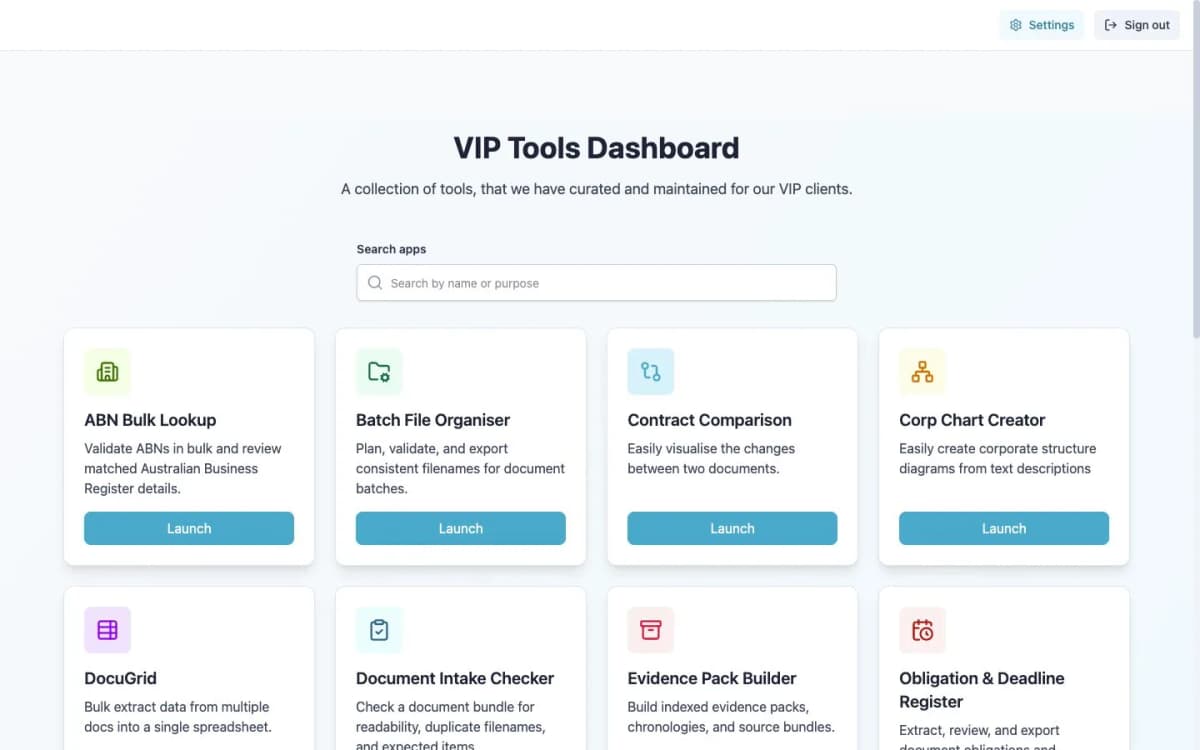
Explore the full collection, including recent additions for ABN checks, file organisation, PDF conversion, data mapping, document intake, email signatures, deadlines and reconciliation.
Business & data
Check a batch of ABNs and review matching Australian Business Register details in one place.
Business & data
Bring order to a folder of documents. Plan consistent filenames, check them, then export your batch.
Business & data
Convert PDFs to Excel or Word entirely in your browser.
Business & data
Reshape CSV/Excel columns with reusable export mappings and optional cleanup.
Review & evidence
Spot unreadable files, duplicate filenames and missing expected documents before starting a review.
PDF & signing
Create, check and repair HTML email signatures, then export them for use in your email client.
Review & evidence
Turn obligations and dates in documents into a register you can review and export.
Business & data
Compare two datasets, work through matching exceptions and export a record of your reconciliation.
Review & evidence
Review document versions side by side, with linked changes and supporting evidence.
Review & evidence
Use the familiar three-panel comparison to inspect changes between two documents and export a redline.
Review & evidence
Extract information from multiple documents into one spreadsheet for review and comparison.
Review & evidence
Bring source documents together into indexed evidence packs, chronologies and organised bundles.
PDF & signing
Handle everyday PDF editing in your browser session, without switching to a separate desktop editor.
PDF & signing
Find and compile signature pages from multiple PDFs into a pack ready for the next signing step.
Business & data
Turn bank statements into structured data you can check and use in your next workflow.
Diagrams & planning
Turn a text description into a corporate structure diagram that makes relationships easier to explain.
Diagrams & planning
Put an idea on the page with a drawing workspace for diagrams, wireframes and quick sketches.
Tool availability depends on your access. Talk to us about what your team needs.
Some tools work on documents in your browser session. AI-assisted tools send the information needed for the task to the VIPTools service for processing.
Choose a workflow that fits your organisation’s information-handling policies. Check the source, review the output, and keep professional judgement in the process.
LET’S TALK VIPTOOLS
Tell us what you work on and where the repetitive jobs pile up. We’ll help you explore the tools that could make a difference.
Choose a tool, or ask us to help you find a starting point.
Our team will discuss your workflows and answer your questions.
We’ll explain access, availability and any applicable costs.
VIPTools is provided by SuperStack IT for our clients. It is designed for people working with documents and business information, including accountants, legal teams, advisers and office teams. If you are not yet a client, register your interest and we can discuss your needs.
No. This form starts a conversation with our team. We will discuss the tools you need, confirm availability and any applicable costs, and explain the next steps for access. Existing users can sign in through the VIPTools client portal.
No. VIPTools includes browser-based utilities and AI-assisted workflows. How documents are processed depends on the tool. Always check that a workflow is appropriate for the information you are handling, and review the result before using it.
No. VIPTools helps prepare, organise and review information. You remain responsible for checking outputs, confirming important details against the source, and applying your professional judgement.